
Automation & Scripting Engine
Build powerful business automations without code. Our visual workflow builder lets you create triggers, actions, and complex business rules that run automatically across your entire platform.
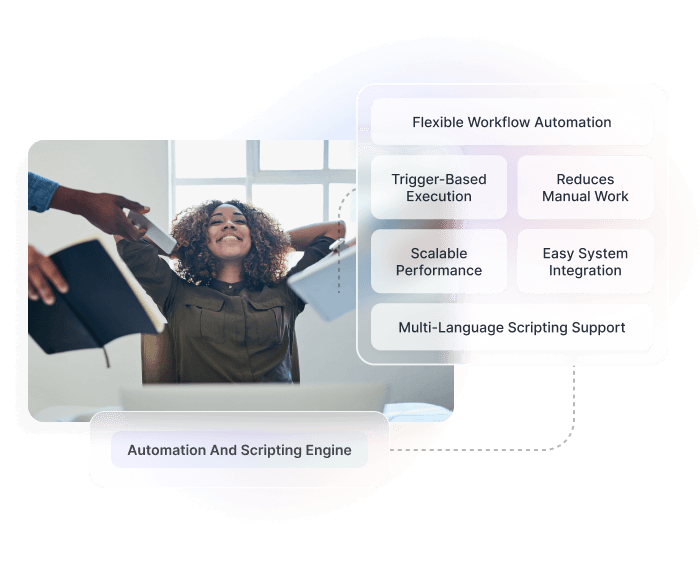
Automate Any Business Process
Visual Workflow Builder
Drag-and-drop interface for creating complex workflows. Connect triggers, conditions, and actions visually without writing any code.
Event Triggers
Start workflows automatically when events occur: record created, field updated, payment received, schedule triggered, or webhook received.
Conditional Logic
Build sophisticated branching logic with if/else conditions, loops, and switches. Create different paths based on data values or business rules.
Action Library
50+ pre-built actions: send emails, create records, update fields, call APIs, generate documents, notify users, and more.
Business Rules
Define reusable business rules that can be applied across multiple workflows. Centralise logic for consistency and easier maintenance.
Scheduled Workflows
Run workflows on schedules: hourly, daily, weekly, or with cron expressions. Process batches of records or perform maintenance tasks automatically.
Error Handling
Built-in retry logic, error notifications, and fallback actions. Workflows recover gracefully from failures without manual intervention.
Build Automations in Four Steps
Choose a Trigger
Select what starts your workflow: a new record, a field change, a scheduled time, an incoming webhook, or a manual button click.
Add Conditions
Define when the workflow should run. Set filters and conditions to ensure actions only execute when your criteria are met.
Configure Actions
Drag and drop actions onto your canvas. Connect them in sequence or parallel. Use data from previous steps in subsequent actions.
Test and Activate
Run your workflow in test mode with sample data. Review the execution log, fix any issues, then activate for production use.
Enterprise-Grade Automation
Trigger Types
- Record created, updated, deleted
- Field value changed
- Scheduled (cron expressions)
- Webhook received
- API call initiated
- Manual button trigger
- Batch processing trigger
- Cross-workflow trigger
Action Categories
- Record operations (CRUD)
- Email and SMS notifications
- Document generation (PDF)
- External API calls
- User task assignment
- Approval workflows
- Data transformation
- Integration sync
Execution Limits
- Up to 100 workflow steps
- 5-minute maximum execution time
- Parallel branch execution
- Async action support
- Rate limiting per account
- Batch processing up to 10,000 records
Monitoring & Debugging
- Real-time execution logs
- Step-by-step debugging
- Error notifications
- Performance metrics
- Execution history (90 days)
- Test mode with dry run
Pre-Built Role Templates
Start quickly with roles designed for common business functions.
System Administrator
Full access to all features, settings, and data. Can manage users, configure integrations, and access all reports.
- Full system configuration
- User and role management
- All data access
Account Manager
Manage customer accounts and relationships. Access to customer data, orders, and communication history.
- Customer record management
- Order and invoice access
- Communication logging
Finance User
Manage customer accounts and relationships. Access to customer data, orders, and communication history.
- Invoice and payment processing
- Financial reporting
- Revenue data access
Operations Manager
Manage day-to-day operations including jobs, scheduling, and resource allocation.
- Job and task management
- Schedule configuration
- Resource assignment
Field Technician
Mobile-focused role for field staff. Access to assigned jobs, customer details, and time tracking.
- Assigned job access only
- Time and expense entry
- Communication logging
Read-Only Viewer
View-only access to records and reports. Cannot create, edit, or delete any data across the platform.
- Read-only data access
- Report viewing
- No configuration access
Products Powered by Automation
Unified permission management across your entire Hykmah deployment.

Operon Automate job dispatch, technician notifications, follow-up scheduling, and invoice generation.

Recuron Trigger dunning sequences, upgrade offers, renewal reminders, and usage-based billing calculations.
Membrify Automate member onboarding, renewal campaigns, benefit unlocks, and engagement workflows.

Eventora Send ticket confirmations, event reminders, post-event surveys, and attendee follow-ups automatically.

Works Best With
Workflow Orchestration
Coordinate complex, multi-step processes across teams and systems. The automation engine powers the actions; Workflow Orchestration manages the broader process logic.
Approvals & Budget Management
Build approval steps directly into your automated workflows. Route requests to the right people based on data values, thresholds, or business rules. [Learn more →]
APIs & SDKs
Extend your automations with custom integrations. Call external APIs as workflow actions or trigger workflows programmatically via the Hykmah API.
Ready to Automate Your Business?
Talk to our team about building automated workflows for your organisation.
Book a Technical Discussion


