


Connect Hykmah to the Systems You Already Use
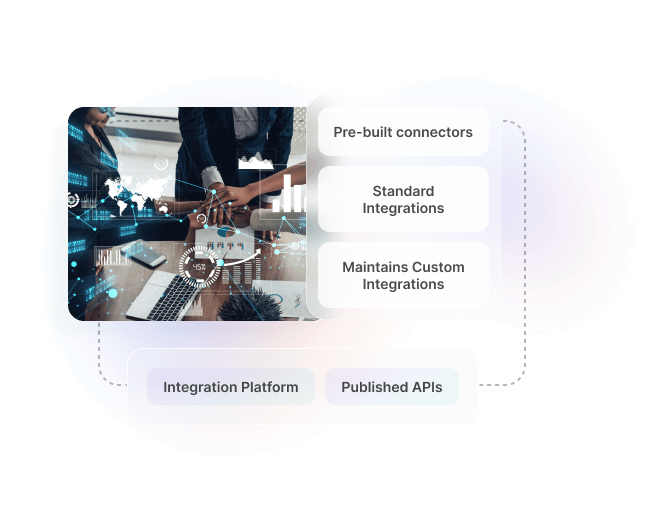
Published APIs and pre-built connectors for standard integrations — and a team that builds and maintains custom integrations when off-the-shelf doesn't fit your systems.
Where System Disconnection Costs You

Data re-entered between systems manually.
Orders entered in one system are manually re-keyed into another. Customer records are updated in two places. Invoices are created from data that has already been entered elsewhere. Each re-entry introduces delay and the possibility of error.
Custom integration built by a previous agency is fragile.
Someone built a point-to-point integration that works most of the time. It breaks when the third-party API changes, no one knows how to fix it, and the original developer is no longer available.
No single source of truth for operational data.
Different systems hold different versions of the same data. Your CRM says one thing, your operations platform says another, and your accounting system is a third reference point. Reconciling them is a regular burden on your team.
IT team managing multiple API connections
Your IT team is maintaining API keys, monitoring webhook failures, and fielding questions about why data isn't syncing — time that should be spent on higher-value work.
Existing tools don't talk to Hykmah.
You have an ERP, a CRM, or an accounting system your business depends on — and it doesn't connect to your Hykmah deployment. Data flows require manual intervention at every boundary between systems.
Published APIs. Pre-Built Connectors. Custom Builds Maintained by Us.
Hykmah provides published APIs and pre-built connectors for standard integration needs — and a team that builds and maintains custom integrations to your specific systems when standard options are not enough.

Ready-Built Capabilities — APIs, SDKs & Pre-Built Connectors
Published REST APIs and pre-built connectors for standard integration requirements. Connect Hykmah to Xero, MYOB, and QuickBooks without a custom build.
- REST API Access — Published APIs covering all major Hykmah data entities — orders, customers, products, invoices, and more. Full documentation, authentication guides, and example payloads included.
- Webhooks — Event-driven webhooks push data to connected systems in real time when records are created or updated. No polling, no manual sync triggers.
- Pre-Built Accounting Connectors — Native connectors for Xero, MYOB, and QuickBooks covering invoice sync, payment reconciliation, and chart of accounts mapping. Standard accounting integration without a custom build.
- SDKs — Client libraries for standard languages to accelerate integration development. Less boilerplate, faster time to a working connection.

Custom Integrations — Built and Maintained by Hykmah
For ERP, CRM, legacy platforms, and bespoke internal tools that require custom work. We scope, build, test, and maintain the integration — you don't manage it after go-live.
- Custom Integration Builds — Hykmah builds integrations to your specific system's APIs. Complex field mappings, business logic, error handling, and ERP-grade transaction volumes handled properly.
- Integration Maintenance — All custom integrations built by Hykmah are maintained by Hykmah. When third-party APIs change, we handle it — you're notified, not left to manage it.
- Sandbox Environment — Development and testing in a dedicated sandbox before production deployment. Parallel running against existing processes confirms data accuracy before cutover.
- Defined SLAs — Response and resolution SLAs for integration incidents agreed at scoping. Not a best-effort arrangement — a documented commitment.
.svg)
Custom Data Portals — Controlled External Data Access
For businesses that need to surface Hykmah data to external stakeholders without giving them access to the full platform. Partners, clients, and suppliers see what they need — nothing more.
- External Stakeholder Portals — Custom portals giving partners, clients, or suppliers a controlled view of relevant Hykmah data. Access scoped to what each stakeholder is entitled to see.
- Role-Scoped Visibility — Each portal configured to the viewer's access level. Operational detail stays controlled while the right data is surfaced to the right people.
- Built and Maintained by Hykmah — Portals built as part of the integration engagement and maintained post-launch. No separate development resource required on your side.

Workflow Automation — Automated Data Flows Between Systems
Automated data flows triggered by business events — removing the human step from routine data synchronisation between Hykmah and your connected systems.
- Event-Triggered Automation — Data flows triggered when business events occur — order created, payment received, record updated. Connected systems stay current without manual intervention.
- Complex Business Logic — Automation handles field mappings, conditional logic, and data transformation that simple tools can't manage at ERP-grade volumes.
- Error Handling — Failed data flows logged, flagged, and retried automatically. Integration failures surfaced before they become data quality problems.
What Integration Clients Get
 REST API Access
 Webhooks
 Pre-Built Accounting Connectors
 SDKs
SDKs Custom Integration Builds
 Integration Maintenance
 Sandbox Environment
API Documentation
Data Portals
Support SLA
Onboarding
Security
Sandbox Environment
API Documentation
Data Portals
Support SLA
Onboarding
Security