
Governance, Compliance & Insights

Localisation

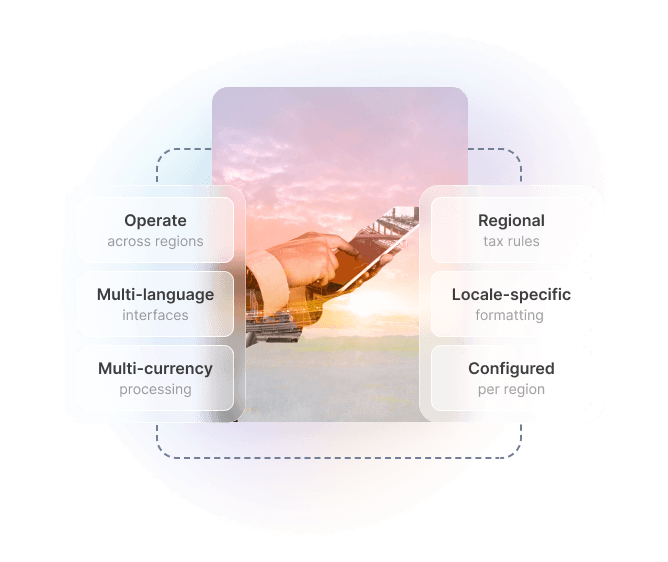
Operate across regions without compromise. Multi-language interfaces, multi-currency processing, regional tax rules, and locale-specific formatting — all configured per region, not bolted on after the fact.
Roles and Permissions platform
KEY FEATURES

Built for Global Operations

Multi-Language Support

Deliver interfaces and communications in 20+ languages out of the box. Manage custom translations for product names, terms, and templates without developer involvement.

Multi-Currency Processing

Process transactions in 50+ currencies with automatic exchange rate updates. Display pricing, invoices, and reports in the customer's local currency while consolidating in your base currency.

Regional Tax Rules

Pre-configured tax rules for major markets including Australian GST, UK VAT, US sales tax, and EU VAT regimes. Automatic tax calculation at checkout and on invoices — no manual setup required for supported regions.

Date & Number Formats

Dates, times, numbers, and addresses display in the local convention for each user's region. No more DD/MM vs MM/DD confusion — the system handles it based on locale settings.

Per-Region Configuration

Configure different settings per region or entity — separate tax rules, currencies, languages, and compliance requirements for each market you operate in, managed centrally.

Localised Documents & Templates

Invoices, receipts, contracts, and email communications adapt to regional language and formatting requirements. Maintain separate document templates per region or language.

How It Works

Configuring Localisation

Step 1

Define Your Regions

Configure the regions or markets you operate in. Each region gets its own language, currency, tax rules, and date format settings — inheriting sensible defaults from the selected locale.

Step 2

Set Tax & Compliance Rules

Select from pre-configured tax regimes or define custom rules. Set tax-inclusive or tax-exclusive pricing per region, configure tax codes for different product categories, and enable regional invoice formatting requirements.

Step 3

Configure Currency & Rates

Set your base currency and enable additional transaction currencies. Choose between live exchange rate feeds or fixed rate tables. Define rounding rules and markup percentages per currency.

Step 4

Assign Users & Content

Users automatically see the interface in their preferred language based on their locale setting. Customer-facing content — emails, invoices, portals — renders in the appropriate language and format for each recipient.

TECHNICAL SPECIFICATIONS

Localisation Architecture

Language & Translation

  • 20+ languages supported out of the box
  • Custom translation management for UI labels and content
  • Right-to-left (RTL) language support
  • Language fallback chain configuration
  • Per-user language preference override
  • Translatable email and document templates

Currency & Payments

  • 50+ currencies supported
  • Live exchange rate feeds (daily or real-time)
  • Fixed exchange rate tables for locked pricing
  • Base currency consolidation for reporting
  • Currency-specific rounding rules
  • Multi-currency invoicing and receipts

Tax & Compliance

  • Australian GST (10%) pre-configured
  • UK and EU VAT regimes
  • US sales tax by state
  • Tax-inclusive and tax-exclusive pricing modes
  • Tax category mapping per product type
  • Tax-compliant invoice formatting per region

Formatting & Regional Standards

  • Date formats: DD/MM/YYYY, MM/DD/YYYY, YYYY-MM-DD
  • Time zones per user, entity, and region
  • Number and decimal separator conventions
  • Address format templates per country
  • Phone number formatting and validation
  • Locale-specific sort order for lists and reports

Pre-Built Role Templates

Start quickly with roles designed for common business functions.

System Administrator

Full access to all features, settings, and data. Can manage users, configure integrations, and access all reports.

  • Full system configuration
  • User and role management
  • All data access

Account Manager

Manage customer accounts and relationships. Access to customer data, orders, and communication history.

  • Customer record management
  • Order and invoice access
  • Communication logging

Finance User

Manage customer accounts and relationships. Access to customer data, orders, and communication history.

  • Invoice and payment processing
  • Financial reporting
  • Revenue data access

Operations Manager

Manage day-to-day operations including jobs, scheduling, and resource allocation.

  • Job and task management
  • Schedule configuration
  • Resource assignment

Field Technician

Mobile-focused role for field staff. Access to assigned jobs, customer details, and time tracking.

  • Assigned job access only
  • Time and expense entry
  • Communication logging

Read-Only Viewer

View-only access to records and reports. Cannot create, edit, or delete any data across the platform.

  • Read-only data access
  • Report viewing
  • No configuration access
PRODUCTS THAT USE THIS CAPABILITY

Products Using Localisation


Control technician access to jobs, customer data, and pricing. Restrict based on territory, skill level, or assignment.

View Operon

Per-region localisation for franchise networks operating across multiple countries — different tax rules, currencies, and document formats per franchise region.
View Franchex

Manage member data access for staff, volunteers, and board members with appropriate visibility levels per organisational role.


View Membrify

Related Capabilities

Multi-Region & Multi-Entity Architecture

Deploy across regions with data residency compliance. Each entity gets its own localisation configuration while sharing a single platform instance.

Learn More →

Document & Template Management

Maintain localised versions of invoices, contracts, and communications — language and format adapt automatically per recipient region.

Learn More →

Revenue & Billing

Multi-currency invoicing, regional payment methods, and tax-compliant billing documents powered by localisation settings.

Learn More →

Ready to Go Global?

Talk to our team about configuring Hykmah for every region you serve.

Book a Technical Discussion