
Platform & Extensibility

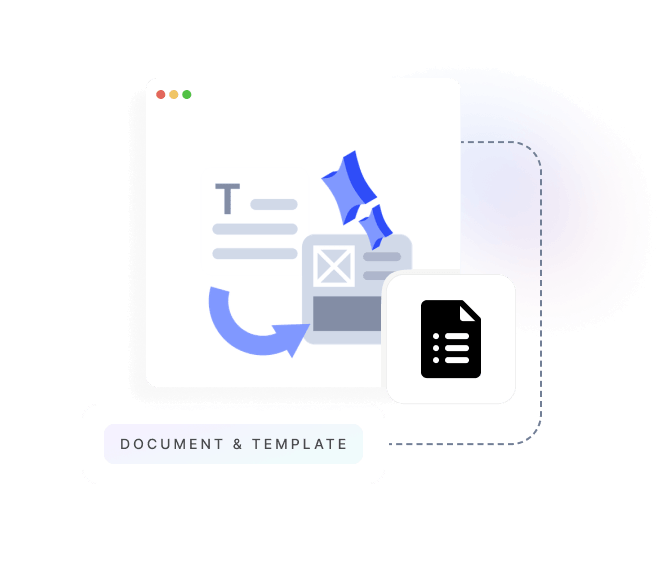
Document & Template Management

Centralised document library with version control, templates for emails, contracts, and invoices, and automated document generation.
Roles and Permissions platform
KEY FEATURES

Professional Document Management

Template Library

Pre-built templates for emails, invoices, contracts, quotes, and receipts. Customise templates with your branding and merge fields. Create new templates from scratch or clone existing ones.

Version Control

Track every change to your templates with complete version history. Roll back to previous versions, compare changes side-by-side, and maintain audit trails for compliance.

Merge Fields

Insert dynamic data into templates using merge fields. Pull customer names, order details, pricing, and any data from your platform. Preview before sending.

Automated Generation

Generate documents automatically from workflows, triggers, or API calls. Merge data, apply templates, and deliver via email or download without manual work.

Document Storage

Centralised storage for all your business documents. Organise with folders, tags, and categories. Full-text search across all documents. Secure file sharing with expiration dates.

Access Control

Role-based permissions for viewing, editing, and publishing templates. Approval workflows for template changes. Department-specific template libraries.

Multi-Format Support

Support for PDF, Word, HTML, and plain text. Convert between formats automatically. Responsive email templates that work on all devices.

How It Works

From Template to Delivery

Step 1

Create Template

Design your template with our visual editor or HTML. Add merge fields for dynamic data. Preview with sample data to ensure perfect formatting.

Step 2

Add Merge Fields

Insert fields from customer profiles, orders, products, or any entity in your system. Use conditional logic to show/hide sections based on data values.

Step 3

Automate Delivery

Connect templates to workflows, triggers, or scheduled tasks. Documents generate automatically with real data when events occur.

Step 4

Track and Improve

Monitor document usage, email open rates, and customer interactions. A/B test templates to optimise engagement and conversions.

TECHNICAL SPECIFICATIONS

Enterprise Document Platform

Template Features

  • Visual drag-and-drop editor
  • HTML/CSS for advanced customisation
  • Conditional content blocks
  • Repeating sections for line items
  • Custom fonts and branding
  • Responsive email templates
  • Multi-language support
  • Template inheritance and nesting

Document Formats

  • PDF generation with headers/footers
  • Microsoft Word (.docx)
  • HTML email templates
  • Plain text for SMS/notifications
  • CSV for data exports
  • Excel (.xlsx) for reports
  • Print-optimised layouts
  • Mobile-responsive designs

Storage & Organisation

  • Unlimited document storage
  • Folder and tag organisation
  • Full-text search
  • Metadata and custom attributes
  • Document linking and relationships
  • Bulk upload and download
  • Automatic file versioning
  • Trash and recovery (30 days)

Integration & APIs

  • REST API for template management
  • Webhook events for document generation
  • Merge field API
  • PDF generation API
  • Email service integration
  • Cloud storage sync (Dropbox, Drive)
  • Electronic signature integration
  • Zapier template triggers

Pre-Built Role Templates

Start quickly with roles designed for common business functions.

System Administrator

Full access to all features, settings, and data. Can manage users, configure integrations, and access all reports.

  • Full system configuration
  • User and role management
  • All data access

Account Manager

Manage customer accounts and relationships. Access to customer data, orders, and communication history.

  • Customer record management
  • Order and invoice access
  • Communication logging

Finance User

Manage customer accounts and relationships. Access to customer data, orders, and communication history.

  • Invoice and payment processing
  • Financial reporting
  • Revenue data access

Operations Manager

Manage day-to-day operations including jobs, scheduling, and resource allocation.

  • Job and task management
  • Schedule configuration
  • Resource assignment

Field Technician

Mobile-focused role for field staff. Access to assigned jobs, customer details, and time tracking.

  • Assigned job access only
  • Time and expense entry
  • Communication logging

Read-Only Viewer

View-only access to records and reports. Cannot create, edit, or delete any data across the platform.

  • Read-only data access
  • Report viewing
  • No configuration access
ProductsTHAT USE THIS CAPABILITY

Built Into Every Hykmah Product

Every product in the Hykmah ecosystem is built on the same underlying platform. Document & Template Management is available across the entire product suite by default — create templates once and use them across any product without duplication.

Control technician access to jobs, customer data, and pricing. Restrict based on territory, skill level, or assignment.
View Operon

Isolate franchise data by location while giving corporate users visibility across the network. Role hierarchies mirror franchise structure.
View Franchex

Manage member data access for staff, volunteers, and board members with appropriate visibility levels per organisational role.


View Membrify
Related Capabilities

Works Best With

Workflow Orchestration

Trigger document generation automatically from business processes.

Learn More →

Communication Hub

Send template-based emails with tracking and engagement analytics.

Learn More →

Low-Code Data Model & UI

Create custom merge fields from any entity in your data model.

Learn More →

Streamline Your Documents?

Talk to our team about creating professional templates and automating document generation for your organisation.

Book a Technical Discussion

