
Data Portability & Bulk Operations
Own your data. Import thousands of records in bulk, export in any format, and migrate from legacy systems with field mapping, validation, and zero lock-in.
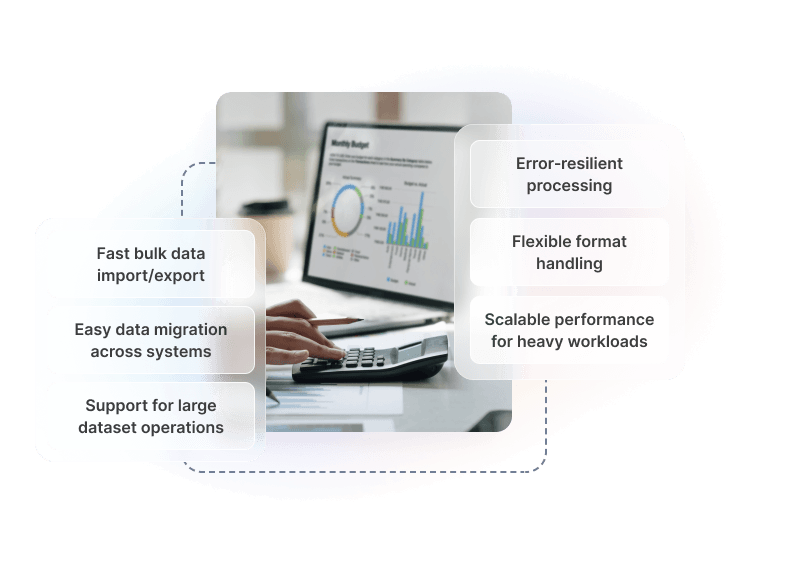
Move Data With Confidence
Bulk Data Import
Upload CSV, Excel, or JSON files containing thousands of records. A guided field mapping interface ensures every column lands in the right place.
Flexible Export Formats
Export any dataset to CSV, Excel, or JSON on demand or on a schedule. Every field, every record — in a format you can use anywhere.
Bulk Record Operations
Update, reassign, tag, archive, or delete thousands of records in one action. Filter to the exact set you need, apply the change, move on.
Field Mapping & Validation
Map incoming columns to platform fields, apply transformation rules, and run validation before committing. See exactly which rows will succeed — and fix the rest before they fail.
User-Configurable Views
Build custom list views with the filters, sort orders, and column sets relevant to each team. Save and share views so every role sees exactly what they need.
Import History & Error Logs
Every import and export job is logged with success counts, skipped rows, and specific error details. Diagnose issues and re-upload corrections without affecting already-processed records.

Import in Four Steps
Prepare Your File
Export data from your existing system as CSV or Excel. Download our column template to see the expected field structure — or upload your file as-is and map columns manually.
Map & Validate
Match each column in your file to the corresponding platform field. Set transformation rules for date formats, lookups, and default values. Run validation to see which rows will succeed before any data is written.
Process in Bulk
Submit the import job. Large files process in the background without impacting your live system. You receive a notification when the job completes — no need to wait at the screen.
Review & Correct
Check the import summary — records created, updated, skipped. Download the error report for any failed rows, fix the issues, and re-upload only the corrections. Already-imported records are not affected.
Data Operations Architecture
Supported Import Formats
- CSV (comma or tab-delimited)
- Excel (.xlsx, .xls)
- JSON (flat and nested structures)
- API-driven import via REST endpoints
- Template download for any entity type
Export Capabilities
- On-demand export from any list view
- Scheduled recurring exports
- Filtered exports — export exactly what you need
- Full entity exports for backup or migration
- Webhook notification on export completion
Bulk Record Operations
- Bulk status updates and reassignment
- Bulk tagging and categorisation
- Bulk archive and delete with confirmation
- Bulk field update across filtered record sets
- Undo support for reversible bulk actions
Validation & Audit
- Pre-commit validation with row-level error detail
- Duplicate detection rules configurable per entity
- Full audit log of all import and export jobs
- Error report download for failed rows
- Partial import support — skip errors, import the rest
Pre-Built Role Templates
Start quickly with roles designed for common business functions.
System Administrator
Full access to all features, settings, and data. Can manage users, configure integrations, and access all reports.
- Full system configuration
- User and role management
- All data access
Account Manager
Manage customer accounts and relationships. Access to customer data, orders, and communication history.
- Customer record management
- Order and invoice access
- Communication logging
Finance User
Manage customer accounts and relationships. Access to customer data, orders, and communication history.
- Invoice and payment processing
- Financial reporting
- Revenue data access
Operations Manager
Manage day-to-day operations including jobs, scheduling, and resource allocation.
- Job and task management
- Schedule configuration
- Resource assignment
Field Technician
Mobile-focused role for field staff. Access to assigned jobs, customer details, and time tracking.
- Assigned job access only
- Time and expense entry
- Communication logging
Read-Only Viewer
View-only access to records and reports. Cannot create, edit, or delete any data across the platform.
- Read-only data access
- Report viewing
- No configuration access
Built Into Every Hykmah Product
Every product in the Hykmah ecosystem is built on the same underlying platform. Data Portability & Bulk Operations is available across the entire product suite by default — import, export, and manage data at scale from any product without additional configuration.
Control technician access to jobs, customer data, and pricing. Restrict based on territory, skill level, or assignment.
Isolate franchise data by location while giving corporate users visibility across the network. Role hierarchies mirror franchise structure.
Manage member data access for staff, volunteers, and board members with appropriate visibility levels per organisational role.
Works Best With
APIs & SDKs
Programmatic access to all entities for automated import/export pipelines and custom integration workflows.
Audit Trail & Data Governance
Every bulk operation is captured in the audit log — who ran it, what changed, and when — for full data governance.
Integration Fabric
Automate recurring data flows between Hykmah and external systems without manual export/import cycles.
Ready to Move Your Data With Confidence?
Talk to our team about migrating to Hykmah or setting up bulk data operations for your organisation.
Book a Technical Discussion


