
Authorize.Net Integration for Hykmah
Accept USD card payments and e-checks from US customers through Hykmah. Prevent failed billing with built-in fraud detection, stored payment profiles, and automatic reconciliation.
-
US & International
-
Cards & E-checks
-
Fraud Detection
-
Included (No Extra Cost)
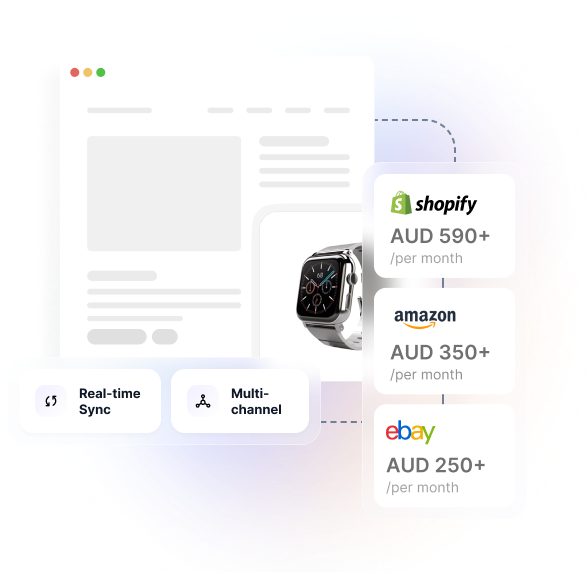
What is Hykmah? Operations platform for Australian businesses with Recuron (subscription billing), Sellwise (online commerce), Orderlink (B2B ordering), and StockWise (inventory management). From $50/month AUD.
How to Connect Hykmah with Authorize.Net
In Hykmah: Settings → Integrations → Payments → Connect Authorize.Net
Enter your Authorize.Net API Login ID and Transaction Key
Configure accepted payment methods (Visa, Mastercard, Amex, e-check)
Set fraud filter thresholds in Advanced Fraud Detection Suite settings
Process a test transaction using Authorize.Net sandbox credentials
How Australian Businesses Use Hykmah + Authorize.Net
Real scenarios for businesses collecting USD payments from US customers through Hykmah
US E-commerce via Sellwise
Challenge: Australian business expanding into the US market via a Sellwise online store. US customers abandon checkout when presented with unfamiliar payment gateways or asked to pay in AUD.
Solution: Authorize.Net configured as the payment gateway for the US Sellwise storefront. US customers pay in USD via their preferred card using a familiar, trusted checkout experience. Hykmah records the USD transaction with an AUD equivalent for Australian accounting.
US Subscription Billing via Recuron
Challenge: SaaS business with a growing US subscriber base. Collecting recurring USD payments requires stored card profiles and reliable retry logic. Manual billing creates churn and cash flow delays.
Solution: Recuron manages the US subscription lifecycle and drives recurring charges through Authorize.Net's Customer Information Manager (CIM). Cards are tokenised on first payment and billed automatically on schedule. Smart retry handles failed payments without staff intervention.
B2B Invoice Collection via Orderlink
Challenge: B2B customers in the US placing wholesale orders via Orderlink prefer paying invoices online by card or bank transfer. Wire transfer delays extend debtor days and create reconciliation complexity.
Solution: Orderlink invoices for US customers include an Authorize.Net-powered pay-now link supporting cards and e-check (ACH). Hykmah marks invoices as paid automatically on successful collection.
Why Hykmah for Authorize.Net Payments
Purpose-built for Australian businesses collecting USD payments from US customers via Authorize.Net — without needing a separate US platform
Cards and E-checks in One Integration
Accept US credit cards, debit cards, and e-check (ACH) bank transfers through a single Authorize.Net connection in Hykmah. E-check offers lower processing fees for high-value B2B payments and US subscription billing — a meaningful saving at volume.
Built-in Fraud Protection
Authorize.Net's Advanced Fraud Detection Suite runs on every transaction. Configure filter thresholds in Hykmah to match your business risk tolerance. Flagged transactions are logged for review without disrupting legitimate orders.
Recurring Billing Without Card Re-entry
Stored payment profiles via Authorize.Net's Customer Information Manager let Recuron bill US subscribers on schedule without customers re-entering card details each cycle. PCI-compliant tokenisation means raw card data never passes through Hykmah.
Unified US and Australian Operations
USD transactions from Authorize.Net sit alongside AUD transactions from Australian gateways in Hykmah. Xero and MYOB integrations handle currency conversion automatically — one platform managing both markets.
Hykmah connects Authorize.Net to your subscription billing, B2B ordering, and online commerce workflows. No separate US platform required. From $50/month AUD with no per-integration fees.
What Syncs Between Hykmah and Authorize.Net
Comprehensive bi-directional data flow between Hykmah and Authorize.Net across payments, profiles, and reconciliation
Payments
Card and e-check transactions from Authorize.Net recorded in Hykmah in real time with USD amount and AUD equivalent at time of transaction.
Refunds
Refunds initiated in Hykmah trigger Authorize.Net refunds automatically. Settlement adjustments reconciled and reflected in Hykmah order and billing records.
Stored Payment Profiles
Authorize.Net Customer Information Manager (CIM) profiles linked to Hykmah customers. Recuron drives recurring charge schedules against stored profiles without card re-entry.
Fraud Filter Results
Advanced Fraud Detection Suite decisions applied to every transaction. Blocked or flagged transactions logged in Hykmah with filter reason for review and action.
Settlement Reports
Daily settlement batch reports from Authorize.Net reconciled against Hykmah transaction records. USD and AUD equivalent amounts tracked per transaction for accounting sync.
Subscription Schedules
Recuron billing schedules drive recurring charges through Authorize.Net. Successful and failed charge outcomes returned to Recuron for dunning and retry logic.
Customer Records
Authorize.Net CIM customer profiles sync to Hykmah customer records. Create once in Hykmah — billing profiles managed automatically across platforms.
Invoice Status
Orderlink and Recuron invoices marked as paid in Hykmah automatically on receipt of successful Authorize.Net payment notification.
How the Integration Works
Payment Initiated from Hykmah
A US customer checks out in Sellwise, pays an Orderlink invoice, or a Recuron subscription billing cycle triggers. The Authorize.Net-powered payment form captures card or e-check details via Accept.js tokenisation — raw card data never passes through Hykmah.
Automatic Sync to Authorize.Net
Hykmah sends the payment request to Authorize.Net in real time. Authorize.Net processes the transaction, runs Advanced Fraud Detection Suite filters, and returns an approved or declined result within seconds.
Hykmah Updates and Reconciles
On approval, Hykmah marks the order or invoice as paid, records the USD amount with AUD equivalent, generates a receipt, and schedules the next Recuron billing cycle if applicable. Daily settlement data reconciles automatically.
Technical Architecture
-
Secure Tokenisation — Card data handled entirely by Authorize.Net's Accept.js or hosted payment form. Hykmah stores only the transaction reference and CIM profile ID — no raw card data handled by Hykmah at any point.
-
Two-Way Data Flow — Payment events flow from Authorize.Net to Hykmah in real time. Refunds and recurring charge requests flow from Hykmah to Authorize.Net automatically. Built-in reconciliation keeps records consistent across both systems.
-
Fraud Detection Layer — Advanced Fraud Detection Suite (AFDS) filter thresholds configurable in Hykmah integration settings. Rules applied per transaction automatically — no manual review queue unless a transaction is flagged.
-
Recurring Billing Engine — Recuron manages subscription schedules and drives charges against Authorize.Net CIM stored profiles. Failed charge outcomes trigger configurable dunning sequences without staff intervention.
Sync Frequency
- Real-time: Payment approvals, declines, and fraud filter results
- Daily: Settlement batch reconciliation from Authorize.Net
- Scheduled: Recuron-driven recurring charge attempts per billing cycle
Security & Compliance
- PCI DSS compliant — card data handled by Authorize.Net, not Hykmah
- Encryption in transit: TLS 1.3
- Tokenisation: Authorize.Net Accept.js or hosted payment page
- Fraud detection: Advanced Fraud Detection Suite (AFDS)
- SOC 2 Type II compliant (Hykmah platform)
- Australian Privacy Act compliant
System Requirements
- Authorize.Net merchant account with API access enabled
- Hykmah Professional plan or higher
- Admin access to both systems
- Authorize.Net API Login ID and Transaction Key
Connect Authorize.Net to Hykmah in Under 5 Minutes
Step-by-step integration setup for Authorize.Net to Hykmah
Get Your Authorize.Net API Credentials
Log in to your Authorize.Net Merchant Interface and navigate to Account → Settings → API Credentials and Keys. Note your API Login ID and generate a new Transaction Key. For sandbox testing, use your Authorize.Net sandbox account at Authorize.NET - Login - Merchant Interface .
- Log in to Authorize.Net Merchant Interface
- Navigate to Account → Settings → API Credentials and Keys
- Note API Login ID and generate Transaction Key
- Copy both credentials before closing the page
Connect in Hykmah
In Hykmah, navigate to Settings→ Integrations → Payments → Authorize.Net and enter your API Login ID and Transaction Key. Select sandbox or production mode. Hykmah verifies the connection immediately.
Payment Method Configuration:
- Enable required card types: Visa, Mastercard, Amex, Discover
- Enable e-check (ACH) if collecting from US bank accounts
- Set default currency to USD for US customer transactions
Fraud Filter Settings:
- IP address velocity filter (transactions per IP per hour)
- Transaction amount thresholds
- Address Verification Service (AVS) mismatch handling
- Card verification value requirements
Configure Recurring Billing (If Using Recuron)
If using Recuron for US subscription billing, link Authorize.Net as the payment gateway for US subscriber plans:
- Select Authorize.Net as payment provider for USD billing plans in Recuron
- Configure dunning sequence for failed charge retry
- Set retry intervals and maximum retry attempts
- Configure payment method update email for expired cards
Test and Go Live
Important: Never use production API credentials in sandbox mode or vice versa. Keep Transaction Keys confidential — regenerate immediately if compromised.
- Process test card approval using Authorize.Net sandbox test card numbers
- Test a declined transaction to confirm decline handling in Hykmah
- Test e-check (ACH) flow if enabled on your account
- Verify USD transaction recorded in Hykmah with correct AUD equivalent
- Confirm Recuron can trigger a test recurring charge via CIM profile
- Verify fraud filter rules are applying as expected
- Switch to production credentials before processing live transactions
Authorize.Net Integration Included in Hykmah Plans
No per-integration fees. No transaction limits from Hykmah. Authorize.Net's own processing fees apply separately per your merchant agreement.
Integration Note: Authorize.Net integration included at no additional cost on all Hykmah plans (Professional, Premium, Enterprise). Authorize.Net's per-transaction gateway and processing fees are set by your merchant agreement and are separate from Hykmah plan pricing.
Authorize.Net Account Required: You'll need an active Authorize.Net merchant account with API access enabled. Authorize.Net eligibility requirements apply for international merchants — confirm availability for your business before proceeding.
Frequently Asked Questions
Navigate to Settings → Integrations → Payments in Hykmah and click Connect Authorize.Net. Enter your API Login ID and Transaction Key from your Authorize.Net Merchant Interface, configure payment methods and fraud filter thresholds, and process a test transaction. Setup takes approximately 5 minutes and is included in all Hykmah plans at no extra cost.
Authorize.Net primarily serves US and Canadian merchants, but some international businesses can obtain a merchant account depending on eligibility. Confirm eligibility with Authorize.Net before proceeding with integration. If Authorize.Net is not available, Stripe also supports USD payment collection and is available to Australian businesses.
Yes. Authorize.Net e-check (ACH) is supported for collecting payments from US bank accounts. E-check typically carries lower processing fees than card payments and is particularly useful for high-value B2B invoices and US subscription billing. ACH payments settle in 3–5 US business days.
Yes. Recuron manages the subscription lifecycle and drives recurring charges through Authorize.Net's Customer Information Manager (CIM). Cards are tokenised on first payment and billed on schedule without customers re-entering payment details.
Authorize.Net's Advanced Fraud Detection Suite (AFDS) runs automatically on every transaction. Hykmah receives the AFDS result and applies your configured rules — automatically voiding high-risk transactions, flagging for manual review, or approving with logging. Filter thresholds are configurable in Hykmah's integration settings.
USD transactions from Authorize.Net are recorded in Hykmah with both the USD amount and an AUD equivalent using the exchange rate at time of transaction. When syncing to Xero or MYOB, the AUD equivalent is used for Australian accounting purposes with the original USD amount retained for reference.
No. Raw card data is handled entirely by Authorize.Net's Accept.js tokenisation or hosted payment form. Hykmah stores only the Authorize.Net transaction reference and CIM profile ID. Hykmah is not in the card data flow at any point.
No. Authorize.Net integration is included in all Hykmah plans (Professional, Premium, Enterprise) at no additional cost. No per-transaction fees or volume limits from Hykmah. Authorize.Net's own gateway and processing fees apply separately.
Troubleshooting Common Issues
Authentication error on connection
Possible Causes: Incorrect API Login ID or Transaction Key entered. Transaction Key rotated or expired. Sandbox credentials entered in production mode (or vice versa).
Fix: Verify API Login ID in Authorize.Net Merchant Interface → Account → Settings → API Credentials. Regenerate Transaction Key if suspected compromised. Confirm environment mode in Hykmah matches credentials (sandbox vs production)
Legitimate transactions declined by fraud filters
Possible Causes: Address Verification Service (AVS) mismatch on US billing address. IP velocity threshold too low for transaction volume. Transaction amount filter set below typical order values.
Fix: Review AFDS filter decision in Hykmah payment log. Adjust AVS mismatch handling in Settings → Integrations → Authorize.Net → Fraud Filters. Increase velocity and amount thresholds to match typical transaction patterns.
E-check payments not clearing
Possible Causes: ACH settlement delay (standard US banking system timing). E-check not enabled on Authorize.Net merchant account.
Fix: ACH/e-check payments take 3–5 US business days to settle — this is a US banking system limitation. Verify e-check is enabled in your Authorize.Net Merchant Interface under payment methods. Contact Authorize.Net merchant support if e-check option is not appearing in Hykmah.
Recuron recurring charges not processing
Possible Causes: CIM customer profile or payment profile ID not correctly stored in Hykmah customer record. Stored card has expired. Authorize.Net CIM not enabled on merchant account.
Fix: Check Recuron subscription record in Hykmah for payment profile ID. Verify CIM is enabled in Authorize.Net Merchant Interface. If card expired, confirm Recuron dunning sequence is configured to send payment method update request.
USD transactions showing incorrect AUD equivalent
Possible Causes: Exchange rate lookup failed at time of transaction.
Fix: Check Hykmah transaction record for AUD equivalent and timestamp. Manually adjust AUD equivalent in Hykmah if required for accounting accuracy. Verify Xero or MYOB integration is applying correct currency conversion on sync.
Complement Authorize.Net with These Integrations
Common integrations for Australian businesses collecting US payments through Hykmah
Stripe
Global payment processing with strong US coverage for businesses wanting a single multi-currency gateway.
Recuron
Subscription billing engine that drives recurring charges through Authorize.Net's CIM stored profiles.
Xero
Australian accounting integration — USD payments sync to Xero with AUD conversion automatically.
Orderlink
B2B ordering portal with Authorize.Net-powered invoice pay-now links for US wholesale customers.

Ready to Accept US Payments Through Hykmah?
Connect Authorize.Net to Hykmah and start collecting USD card payments and e-checks from US customers — with automatic reconciliation, built-in fraud detection, and recurring billing included. Setup in under 5 minutes.
Free tier available — start with $0/month Startup plan
No integration fees — Authorize.Net integration included in all plans
PCI compliant — card data handled by Authorize.Net, not Hykmah
Setup in 5 minutes — API credentials and test transaction
Australian support — email & phone Mon–Fri 9 AM – 5 PM AEST


