Enterprise ERP Integration · Type B

Business Central Integration

Connect Hykmah with Microsoft Dynamics 365 Business Central for unified ERP and operational data. AL extension implementation with bi-directional financial, inventory, and customer sync — custom configured for your BC environment.

  • Bi-directional Sync
  • Cloud & On-Premise
  • Enterprise-Grade
  • Australian Support
NetSuite Integration
Custom Implementation Required

Business Central configurations vary significantly — chart of accounts, dimensions, item categories, posting groups, and custom AL extensions all affect how data maps to Hykmah. Both cloud and on-premise deployments require a structured implementation engagement.

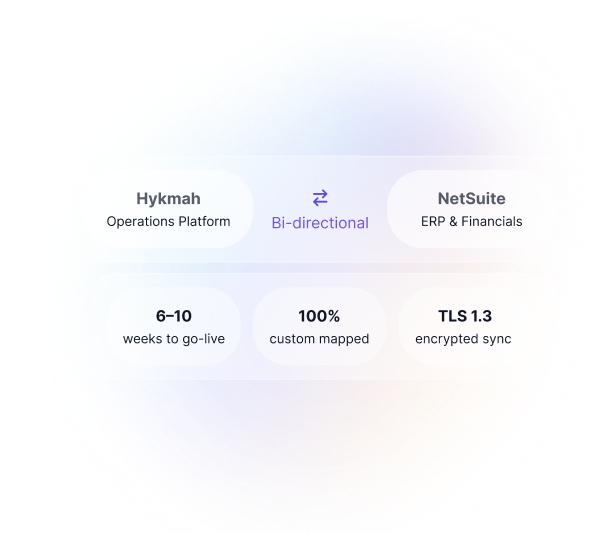
Typical timeline: 6–10 weeks from discovery to go-live.

Contact our integration team
Real-World Scenarios

How Businesses Use Hykmah with Business Central

Enterprise integration scenarios for operational and financial data synchronisation.

Scenario 1

Operations to Finance — Invoices and POs to Business Central

Challenge: Mid-market business with Hykmah managing operations (field service, inventory, B2B orders) and Business Central as the financial system of record. Finance team manually re-entered sales invoices, purchase orders, and credit memos from Hykmah into Business Central — a daily task consuming hours and introducing GL coding errors.

Solution: Hykmah sales invoices, purchase orders, and credit memos post directly to Business Central GL with correct item codes, customer posting groups, and dimension codes. Business Central receives clean, correctly coded financial documents without manual intervention.

Result: Finance team works from live data without re-entry. GL coding errors from manual entry eliminated. Month-end close no longer delayed by invoice backlog.

Note: Item codes, posting groups, and dimension mappings are configured during implementation to match your specific Business Central chart of accounts structure.
Scenario 2

StockWise to Business Central Inventory

Challenge: Wholesale distributor managing inventory in StockWise for operational purposes (ordering, stock transfers, warehouse management) while Business Central tracks inventory valuation for financial reporting. The two systems diverged over time as manual synchronisation fell behind.

Solution: Item master data, stock levels, and warehouse movements sync between StockWise and Business Central's item ledger. Inventory valuation stays consistent across both systems without manual reconciliation.

Result: Consistent inventory valuation in both platforms. Month-end stock reconciliation eliminated. Finance and operations working from the same inventory numbers.

Note: Item category mapping and cost method alignment between StockWise and Business Central is handled during the implementation engagement.
Scenario 3

Orderlink Customers to Business Central

Challenge: B2B distributor with customer accounts managed in Business Central (credit limits, payment terms, customer posting groups) and B2B ordering through Hykmah's Orderlink portal. Credit limits set in Business Central weren't enforced in Orderlink — B2B customers could place orders beyond their approved credit.

Solution: B2B customer accounts in Orderlink sync to Business Central customer cards. Credit limits, payment terms, and customer posting groups in Business Central drive Orderlink's order acceptance rules. Orders placed via Orderlink create Business Central sales orders automatically.

Result: Credit limits enforced in Orderlink from Business Central data. B2B orders flow to Business Central sales orders without re-entry. Customer data consistent across ERP and commerce.

WHY INTEGRATE WITH BUSINESS CENTRAL

Why Businesses Connect Hykmah to Business Central

Business Central as Your ERP Foundation:

  • Business Central provides enterprise-grade ERP for mid-market businesses — financials, inventory management, supply chain, and project management in a single Microsoft platform. For organisations already invested in the Microsoft ecosystem, Business Central's integration with Microsoft 365, Teams, and Power BI is a genuine operational advantage.

The Operational Data Gap:

  • Business Central handles financial processing and reporting exceptionally well. What it doesn't handle is the operational workflows that generate the financial transactions — field service job management, subscription billing, multi-channel inventory, B2B customer portals. These require specialist tools that integrate back to Business Central.

Two Integration Approaches:

Option 1 —  Operations to Finance Bridge Keep Business Central as the financial system of record. Connect Hykmah operational products to feed transactions automatically — StockWise for inventory, Operon for field service job costing, Recuron for subscription billing, Orderlink for B2B orders. Business Central receives clean financial data from Hykmah without manual entry.

Option 2 — Hykmah Products Replacing Legacy Operational Systems Replace aging operational systems (spreadsheets, legacy job management, disconnected ordering portals) with Hykmah products that integrate natively to Business Central. Business Central remains the ERP; Hykmah becomes the operational layer.

Most implementations are a combination — some Hykmah products replacing legacy tools, others connecting existing operational workflows to Business Central.

The Value:

  • Business Central remains your ERP and financial system of record
  • Operational data from Hykmah flows to Business Central without manual entry
  • GL coding, dimensions, and posting groups applied consistently
  • Month-end close no longer delayed by manual data reconciliation
  • Inventory valuation consistent across StockWise and Business Central

Data Synchronisation

Data Synchronisation Between Hykmah and Business Central

Configured per implementation based on your specific Business Central setup and Hykmah products in use.

Sales Invoices

Hykmah → BC Sales invoices from Hykmah products post to Business Central with customer posting groups, item codes, dimension codes, and VAT/GST codes applied per your BC configuration.

Purchase Orders

Bi-directional Purchase orders raised in StockWise sync to Business Central. Goods receipt in StockWise updates the Business Central purchase order status. Supplier invoices reconcile against Business Central purchase orders.

Inventory Items

Bi-directional Item master data, stock levels, and warehouse movements sync between StockWise and Business Central's item ledger. Inventory valuation consistent across both platforms.

Customers & Vendors

Bi-directional Customer and vendor master data syncs bi-directionally. Business Central customer cards (credit limits, payment terms, posting groups) inform Hykmah Orderlink rules.

Payment Entries

Hykmah → BC Payment receipts from Hykmah (via Stripe, PayPal, bank transfer) post to Business Central as applied payment entries against the corresponding sales invoices.

GL Journal Entries

Hykmah → BC Non-invoice financial transactions from Hykmah operations (subscription accruals, refunds, write-offs) post as Business Central journal entries with correct GL account and dimension coding.

Dimension Values

Mapped on setup Business Central dimensions (department, project, cost centre) mapped to Hykmah job, product, and order fields during implementation. Applied consistently to all financial documents.

Item Categories

BC → Hykmah Business Central item categories sync to StockWise for consistent product classification across both systems.

HOW IT WORKS

How the Integration Works

Integration Architecture

  • Integration Architecture: Business Central integration uses Microsoft's standard REST API pages for cloud (BC Online) deployments. For on-premise Business Central or where standard API pages don't cover required data structures, AL extensions are developed and deployed to your Business Central instance.

  • BC Online: REST API connections authenticated via Azure AD OAuth2. Standard Business Central API pages (customers, vendors, items, invoices, journal entries) used where available. AL extensions developed for non-standard data flows.

  • On-Premise Business Central: Web services or OData API used depending on BC version. Custom AL extensions may be required for on-premise deployments. Implementation team coordinates with your BC administrator for access and deployment.

  • Field-Level Mapping: Every financial document field mapped specifically to your Business Central configuration — chart of accounts, posting groups, dimension structures, item categories, and VAT/GST codes. Custom field mappings version-controlled during implementation.

  • Conflict Resolution: Business Central is the system of record for financial data. Hykmah is the system of record for operational data. Conflict resolution rules defined per data type during implementation — financial master data (customer terms, credit limits) flows from BC to Hykmah; operational transactions flow from Hykmah to BC.

System Requirements:

  • Microsoft Dynamics 365 Business Central (Online or On-Premise)

  • Administrator access to Business Central for AL extension deployment (if required)

  • Azure AD credentials for BC Online OAuth2 authentication

  • Hykmah Professional, Premium, or Enterprise plan

Security & Compliance

  • Azure AD OAuth2 authentication for BC Online

  • AL extensions deployed via Microsoft AppSource process for BC Online

  • Encryption in transit: TLS 1.3

  • Encryption at rest: AES-256

  • SOC 2 Type II compliant (Hykmah platform)

  • Privacy Act 1988 (AU) compliant

Implementation Process

Custom Implementation Process

Every Business Central integration is scoped and delivered by the Hykmah implementation team.

Phase 1.

BC Assessment (Week 1–2)

  • Review your Business Central configuration — chart of accounts, dimensions, item categories, posting groups
  • Identify custom AL extensions or non-standard data structures requiring custom API development
  • Map Hykmah products in scope to Business Central modules
  • Define conflict resolution rules and system-of-record boundaries
  • Confirm BC Online vs on-premise deployment and access requirements

Your involvement: BC Administrator access, 4–6 hours of discovery workshops

Phase 2.

Build & Configure (Week 3–6)

  • REST API connections configured against your BC environment (sandbox first)
  • AL extensions developed and deployed where standard API pages are insufficient
  •  Field mappings built for chart of accounts, posting groups, and dimensions
  • End-to-end testing in BC sandbox with representative transaction data
  • Error handling and retry logic configured

Your involvement: Sandbox access, review of field mapping documentation, 2–3 hours weekly check-ins

Phase 3.

Testing & Validation (Week 7–8)

  • User acceptance testing with your finance and operations teams
  • Financial reconciliation testing — BC GL balances match Hykmah transaction data
  •  Dimension and posting group validation across all transaction types
  • Performance testing for high-volume transaction periods (month-end, billing runs)

Your involvement: UAT with finance team (8–12 hours), sign-off on reconciliation

Phase 4.

Go-Live & Handover (Week 9–10)

  • Production deployment with historical data migration scoped separately
  • Two weeks post-launch monitoring with implementation team available
  • Full technical documentation delivered
  • Handover to ongoing Hykmah support

Typical Timeline: 6–10 weeks depending on BC configuration complexity Implementation Cost: Custom quoted per scope

FAQs

Frequently Asked Questions

Does Hykmah support both BC Online and on-premise Business Central?

Yes. BC Online connects via Azure AD OAuth2 using Microsoft's standard REST API pages. On-premise Business Central uses web services or OData API depending on your version. Both require a structured implementation engagement — the approach differs but both are fully supported.

Can I integrate Hykmah with Business Central without AL extensions?

In many cases, yes. BC Online's standard REST API pages cover customers, vendors, items, invoices, and journal entries. AL extensions are developed where your Business Central configuration requires data flows that standard API pages don't support — for example, custom posting group logic or non-standard dimension structures.

Which Hykmah products work with Business Central?

All Hykmah products can integrate with Business Central. StockWise syncs inventory and purchase orders. Operon syncs field service job costing and invoices. Recuron syncs subscription billing and revenue schedules. Orderlink syncs B2B orders and customer credit data. The implementation scopes which products are in scope based on your requirements.

How long does Business Central integration take?

Typically 6–10 weeks depending on your Business Central configuration complexity, number of custom AL extensions required, and Hykmah products in scope. A detailed timeline is provided after the discovery assessment.

Can Hykmah handle Business Central dimensions for cost centre reporting?

Yes. Business Central dimensions (department, project, cost centre, etc.) are mapped to Hykmah job, product line, and order fields during implementation. All financial documents post to Business Central with the correct dimension values applied automatically.

How much does the Business Central integration cost?

Implementation cost is custom quoted based on scope — BC configuration complexity, number of AL extensions required, Hykmah products in scope, and historical data migration requirements. Contact our team for a scoping call and fixed-fee proposal.

Pricing

Business Central Integration Pricing

Included in Hykmah Enterprise

The Business Central integration capability is part of the Hykmah Enterprise subscription. There is no separate connector licence fee. Hykmah Enterprise pricing is custom-quoted based on your organisation's scale and product requirements.

Implementation Cost

Custom quoted — every Business Central integration is scoped and priced based on your specific requirements. There is no standard price for this integration. Contact our team for a scoping call and fixed-fee proposal.

Scope factors include

BC Online vs on-premise deployment

Number of AL extensions required

Hykmah products in scope

Historical data migration requirements

Dimension and posting group complexity

Business Central Account Required

Microsoft Dynamics 365 Business Central subscription required.

Ready to Connect Business Central to Hykmah?

Let us know whether you're on BC Online or on-premise, and we'll scope a custom integration for your chart of accounts, dimensions, and posting groups.


  • Step 1

    Discovery Call (30–45 minutes) — understand your BC configuration and Hykmah products in scope
  • Step 2
    Technical Assessment — review chart of accounts, dimensions, AL extension requirements
  • Step 3
    Custom Proposal — detailed timeline, scope, and fixed-fee pricing
  • Step 4
    Implementation — 6–10 week structured delivery with full documentation