Enterprise ERP Integration · Type B

Salesforce Integration

Connect Hykmah with Salesforce Sales Cloud and Service Cloud for unified customer and operational data. Custom Apex-based implementation with bi-directional sync of contacts, accounts, and operational records — configured for your Salesforce org.

  • Bi-directional Sync
  • Custom Objects Supported
  • Enterprise-Grade
  • Australian Support
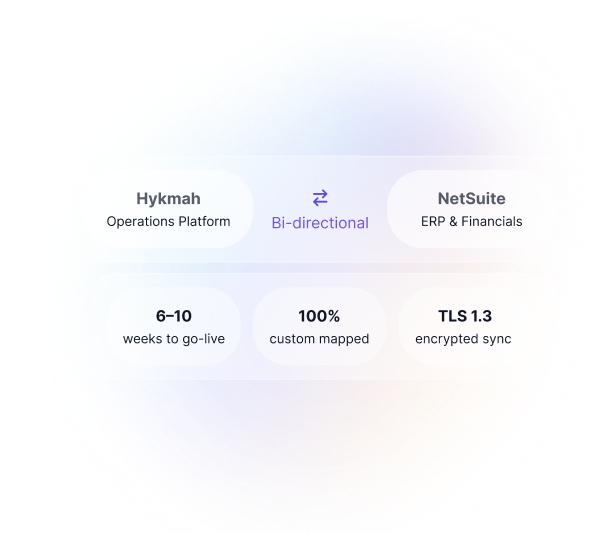
NetSuite Integration
Custom Implementation Required

Every Salesforce org is unique — custom objects, field-level security, record types, sharing rules, Process Builder automations, and governor limits vary significantly. Hykmah's integration team designs Apex triggers and API connections specific to your org structure.

Typical timeline: 6–8 weeks for standard Sales Cloud. Complex orgs or multi-cloud deployments may require longer.

Contact our integration team
Real-World Scenarios

When Businesses Connect Salesforce to Hykmah

Enterprise integration scenarios for Australian organisations running Salesforce alongside Hykmah operations.

Scenario 1

Deal-to-Order Automation — Enterprise B2B

Challenge: Enterprise B2B sales team closing deals in Salesforce. When an opportunity was marked Closed Won, the operations team manually created the customer account in Hykmah Orderlink, configured product access, and sent welcome communications — a process taking 45–60 minutes per new customer and introducing errors on account setup.

Solution: A closed-won Salesforce opportunity triggers Hykmah Orderlink account creation automatically — customer details, product configuration, and contact data flow from Salesforce to Hykmah without manual handoff. Operations receives a fully provisioned account the moment the deal closes.

Result: Zero-touch CRM to operational onboarding. Manual account creation eliminated. Data consistency between Salesforce and Hykmah maintained from day one of the customer relationship.

Note: Opportunity-to-account mapping is configured during implementation to match your specific Salesforce opportunity object structure and Hykmah Orderlink account fields.
Scenario 2

Job History in Service Cloud

Challenge: Field service organisation with Service Cloud agents handling customer enquiries and Operon managing field job operations. Service agents had no visibility into recent job history when customers called — requiring a separate Operon login or escalation to the operations team, extending handle time and creating customer frustration.

Solution: Operon field service completions, costs, and technician notes appear on Salesforce contact and account records. Service Cloud agents see full operational context — recent jobs, open work, service history — without leaving Salesforce.

Result: Service agents have complete operational context in every customer interaction. Average handle time reduced. Escalations to the operations team reduced.

Note: Operon-to-Salesforce field mapping is configured during implementation to match your Service Cloud contact and account object structure.
Scenario 3

Subscription Renewals as Salesforce Opportunities

Challenge: SaaS organisation using Recuron for subscription billing. Renewal conversations were reactive — account managers found out subscriptions were lapsing when Recuron sent cancellation notifications, rather than proactively managing renewals in their standard Salesforce workflow.

Solution: Recuron subscription renewal dates automatically create Salesforce opportunities with renewal value, account association, and close date. Sales teams manage renewals and expansion conversations from within their standard Salesforce pipeline workflow.

Result: Renewal conversations happen proactively from Salesforce pipeline. Account managers act on renewal signals weeks before expiry. Revenue Operations has visibility into renewal pipeline alongside new business.

Integration Rationale

Why Enterprises Connect Salesforce to Hykmah

Salesforce as Your CRM of Record:

  • Salesforce is the world's most widely deployed enterprise CRM — Sales Cloud for pipeline management, Service Cloud for customer support, and an extensive ecosystem of apps, AppExchange integrations, and custom development capabilities. For enterprises already invested in Salesforce, the platform's depth and flexibility are genuine competitive advantages.

The Operational Context Gap:

  • Salesforce manages customer relationships and sales processes comprehensively. What it doesn't manage is the operational reality of those relationships after the sale — field service jobs, subscription billing cycles, inventory orders, B2B portal activity. This data lives in Hykmah. Without connecting the two, Salesforce users are working from an incomplete picture of each customer.

Two Integration Approaches:

Option 1 — Operational Data Enriching Salesforce Keep Salesforce as the customer relationship system of record. Connect Hykmah operational products to enrich it — job history from Operon, subscription renewal signals from Recuron, order history from Orderlink. Salesforce users see complete customer context including post-sale operational history without leaving Salesforce.

Option 2 — Salesforce Triggering Operational Workflows Salesforce events trigger Hykmah operational workflows. Closed-won opportunities create Orderlink accounts. New service cases trigger Operon jobs. Contract signatures initiate Recuron subscriptions. Sales and service actions in Salesforce automatically initiate the right operational response in Hykmah.

Most enterprises implement both — operational data enriching Salesforce context and Salesforce events triggering operational workflows.

The Value:

  • Salesforce reflects operational reality — not just sales activity
  • Service agents have operational context in every customer interaction
  • Deal close automatically triggers operational onboarding
  • Renewal pipeline visible in Salesforce from Recuron signals
  • Custom objects and field-level security respected throughout

Data Synchronisation

Data Synchronisation Between Hykmah and Salesforce

Configured per implementation based on your specific Salesforce org structure and Hykmah products in use.

Contacts & Accounts

Bi-directional Customer and contact master data syncs bi-directionally. New Hykmah customers create Salesforce contacts and accounts. Salesforce account updates reflect in Hykmah.

Opportunities

Salesforce → Hykmah Closed-won opportunities in Salesforce trigger Hykmah account or subscription creation. Opportunity value and product data used to configure the Hykmah operational account.

Cases & Service Records

Bi-directional Salesforce Service Cloud cases linked to Hykmah job and order records. Service history and case outcomes visible across both platforms.

Invoice & Payment Status

Hykmah → CRM Invoice status and payment history from Hykmah syncs to Salesforce account records — giving sales and service teams visibility into outstanding invoices and payment behaviour.

Job & Service Records

Hykmah → CRM Operon job completions, costs, technician notes, and job outcomes sync to Salesforce contact and account records for full operational service history.

Subscription Renewals

Hykmah → CRM Recuron subscription renewal dates and status changes create Salesforce opportunities. Upsell and expansion indicators surfaced in the Salesforce pipeline.

Custom Objects

Mapped on setup Custom Salesforce objects mapped to Hykmah data during implementation. Every org has different custom object requirements — all configured specifically to your Salesforce object model.

Field-Level Security

Respected on sync Salesforce field-level security and sharing rules respected during data sync. Integration service user scoped to minimum required permissions — data flows respect your org's access model.

HOW IT WORKS

How the Integration Works

Integration Architecture

  • Integration Architecture — Salesforce integration uses Salesforce's REST API with OAuth2 Connected App authentication. For real-time data flows triggered by Salesforce events, Apex triggers are developed and deployed to your Salesforce org. For bulk data operations and historical migration, Salesforce Bulk API is used.

  • Apex Triggers — Where Salesforce events need to trigger Hykmah actions in real time (e.g. opportunity close triggering Orderlink account creation), Apex triggers are developed and deployed to your sandbox then production org. Apex development respects Salesforce governor limits and is tested against your specific org configuration.

  • REST API Callouts — Hykmah calls Salesforce REST API to create, read, and update records. OAuth2 Connected App credentials scoped to minimum required object and field permissions. Field mapping configured per your object model.

  • Conflict Resolution —Salesforce is the system of record for customer relationships and sales data. Hykmah is the system of record for operational data. Conflict resolution rules defined per object and field during implementation — CRM data (account classification, contact details) flows from Salesforce to Hykmah; operational data (job history, subscription status, invoice records) flows from Hykmah to Salesforce.

System Requirements:

  • Salesforce Sales Cloud or Service Cloud (Enterprise or Unlimited edition recommended for Apex deployment)

  • System Administrator access to Salesforce org for Connected App setup and Apex deployment

  • Sandbox environment available for testing before production deployment

  • Hykmah Professional, Premium, or Enterprise plan

Security & Compliance

  • OAuth2 Connected App — no Salesforce credentials stored in Hykmah

  • Integration service user with minimum required permissions

  • Field-level security and sharing rules respected during sync

  • Encryption in transit: TLS 1.3

  • Encryption at rest: AES-256

  • SOC 2 Type II compliant (Hykmah platform)

  • Privacy Act 1988 (AU) compliant

Implementation Process

Custom Implementation Process

Every Salesforce integration is scoped and delivered by the Hykmah implementation team.

Phase 1.

Org Assessment (Week 1–2)

  • Review your Salesforce org — custom objects, sharing rules, governor
    limits, active automations (Process Builder, Flow, Apex triggers)
  • Identify integration points and potential conflicts with existing automations
  • Map Hykmah products in scope to Salesforce objects and fields
  • Define conflict resolution rules and system-of-record boundaries
  • Confirm Salesforce edition and sandbox availability

Your involvement: Salesforce Administrator access, 4–6 hours of discovery workshops

Phase 2.

Build & Configure (Week 3–6)

  • OAuth2 Connected App configured in your Salesforce org
  • Apex triggers developed for real-time event-driven flows
  • REST API callout logic built for Hykmah-to-Salesforce data flows
  • Field mapping built for all in-scope objects and custom fields
  • Conflict resolution and error handling configured
  • Everything built and tested in your Salesforce sandbox

Your involvement: Sandbox access, review of field mapping documentation, 2–3 hours weekly check-ins

Phase 3.

Testing & Validation (Week 7–8)

  • End-to-end testing across all integration scenarios in sandbox
  • Governor limit validation — Apex triggers tested under representative load
  • Field-level security and sharing rule validation
  • User acceptance testing with sales, service, and operations teams

Your involvement: UAT with sales and service teams (8–12 hours), sandbox sign-off before production

Phase 4.

Deploy & Monitor (Week 9–10)

  • Production deployment after sandbox sign-off
  • Historical data migration via Bulk API scoped separately
  • Two weeks post-launch monitoring with implementation team available
  • Full technical documentation delivered
  • Handover to ongoing Hykmah support

Typical Timeline: 6–10 weeks depending on org complexity Implementation Cost: Custom quoted per scope

FAQs

Frequently Asked Questions

Can I integrate Hykmah with Salesforce without custom Apex development?

In some cases, standard REST API connections without Apex are sufficient — for example, scheduled data sync of contacts and accounts. Where real-time event-driven flows are required (opportunity close triggering Orderlink account creation), Apex triggers are needed. The implementation team confirms the approach after org assessment.

Which Salesforce editions does Hykmah support?

Enterprise and Unlimited editions are recommended as they support Apex development and deployment. Professional edition has limitations on Apex trigger deployment. The org assessment confirms edition-specific constraints before scoping begins.

Which Hykmah products work with Salesforce?

All Hykmah products can integrate with Salesforce. Orderlink is most commonly connected for deal-to-operational-account handoff. Operon is connected for job history enrichment in Service Cloud. Recuron is connected for subscription renewal opportunity creation. StockWise is connected for inventory and order history visibility on account records.

Does the integration respect Salesforce field-level security?

Yes. The integration service user is configured with the minimum required field and object permissions. Field-level security and sharing rules defined in your Salesforce org are respected — the integration does not bypass your org's access model.

How long does the Salesforce integration take?

Typically 6–8 weeks for standard Sales Cloud organisations. Complex orgs with extensive custom objects, multiple Salesforce clouds (Sales + Service + Marketing Cloud), or large historical data migration requirements may extend to 10 weeks. A detailed timeline is provided after the org assessment.

How much does the Salesforce integration cost?

Implementation cost is custom quoted based on scope — org complexity, number of custom objects and Apex triggers required, Hykmah products in scope, and historical data migration requirements. Contact our team for a scoping call and fixed-fee proposal.

Pricing

Salesforce Integration Pricing

The integration connector is included in Hykmah Enterprise. Implementation is a professional services engagement quoted to your specific configuration.

Included in Hykmah Enterprise

The Salesforce integration capability is part of the Hykmah Enterprise subscription. There is no separate connector licence fee. Hykmah Enterprise pricing is custom-quoted based on your organisation's scale and product requirements.

Implementation Cost

Custom quoted — every Salesforce integration is scoped and priced based on your specific org structure and requirements. There is no standard price for this integration. Contact our team for a scoping call and fixed-fee proposal.

Scope factors include

Salesforce org complexity (custom objects, sharing rules, existing automations)

Number of Apex triggers required

Salesforce clouds in scope (Sales Cloud, Service Cloud, Marketing Cloud)

Hykmah products in scope

Historical data migration via Bulk API

Salesforce Account Required

Salesforce Sales Cloud or Service Cloud subscription required. Enterprise or Unlimited edition recommended for Apex deployment.

Ready to Connect Salesforce to Hykmah?

Our integration team will assess your Salesforce org and design a custom implementation that fits your object model, field structure, and workflow rules.


  • Step 1
    Custom Apex triggers and REST API — built for your org structure
  • Step 2
    Australian integration team — AEST business hours
  • Step 3
    Sandbox testing before production deployment
  • Step 4
    Fixed-fee proposal after org assessment