E-Commerce Integration · Type A

Shopify Integration
for StockWise

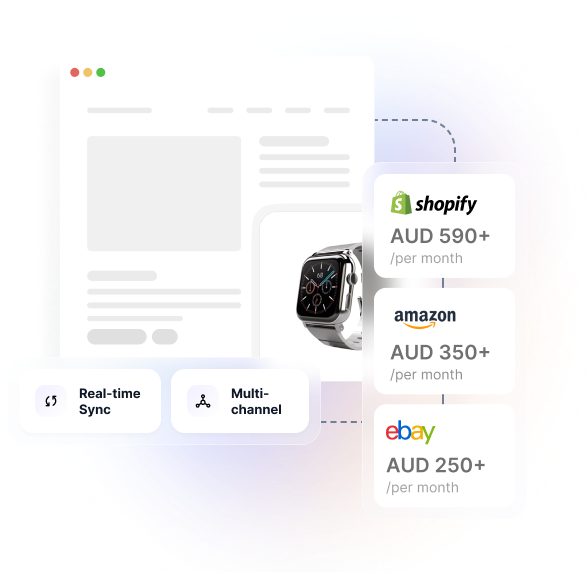
Sync inventory in real-time across Shopify, Amazon, and eBay. Prevent overselling, eliminate manual stock updates, and manage multi-warehouse operations from one platform.

  • Real-time Sync
  • Multi-channel
  • Inventory Aware
  • Included — No Extra Cost
Shopify Integration

New to Hykmah? Operations platform for Australian SMEs with StockWise (inventory management), Operon (job management), Recuron (subscription billing), and Orderlink (B2B ordering). From $50/month.

Learn more about Hykmah
Connect StockWise

How to Connect StockWise with Shopify

1

In Hykmah: Settings → Integrations → E-Commerce → Connect Shopify

2

Authorise Shopify access via OAuth2 (redirects to Shopify login)

3

Map StockWise warehouses to Shopify locations

4

Configure stock sync settings and order import rules

5

Test with a sample product and order — go live

Setup Time: 5 minutes Cost: Included in Hykmah Professional tier ($50/month)
Requirements: Active Shopify store, Hykmah Professional or higher Sync Type: Real-time bi-directional via webhooks
Real Scenarios

How Australian Retailers Use StockWise + Shopify

Real scenarios from multi-channel sellers managing Shopify inventory with StockWise.

Multi-Channel Fashion Retailer

Selling on Shopify + Amazon but stock keeps going out of sync

Challenge: Same products on Shopify and Amazon. Stock sold on Shopify wasn"t immediately reflected on Amazon, causing overselling 2–3 times per week.

Solution: StockWise manages inventory as a single source of truth. Both Shopify and Amazon sync stock levels in real-time. When a product sells on Shopify, Amazon availability updates instantly.

Zero overselling incidents. Hours of weekly manual reconciliation eliminated.
Wholesale + Retail Operations

Running Shopify for retail and Orderlink for wholesale — stock collisions

Challenge: Running Shopify for retail customers and Orderlink (B2B portal) for wholesale. Stock allocated to wholesale orders not reflected in Shopify, causing retail overselling.

Solution: StockWise tracks Available-to-Promise inventory across both channels. Wholesale orders in Orderlink reserve stock, Shopify sees remaining availability. Both products on the Hykmah platform.

Unified inventory view. Wholesale and retail managed without separate systems.
Multi-Warehouse Melbourne + Sydney

Two warehouses but Shopify can"t show combined stock or route by location

Challenge: Warehouses in Melbourne CBD and Sydney. Shopify couldn't show combined availability or route orders to the closest warehouse.

Solution: StockWise manages both warehouses. Shopify shows combined stock levels. Orders import to StockWise with customer location for smart warehouse assignment.

Faster shipping from nearest warehouse. Freight costs reduced significantly.
Why StockWise

Why StockWise for Shopify Inventory

Purpose-built for Australian multi-channel retailers managing Shopify alongside other sales channels

Real-Time Multi-Channel Sync

Sell on Shopify, Amazon, and eBay simultaneously without overselling. Stock changes in one channel update all others instantly. Single source of truth for inventory across all storefronts.

Multi-Warehouse Made Simple

Track stock across multiple locations (Melbourne, Sydney, Brisbane). Shopify shows combined availability while you track exactly what's where. Smart fulfilment routes orders to nearest warehouse.

Included Accounting Integration

Xero and MYOB sync built-in at no extra cost. Shopify sales automatically create invoices in your accounting system. No manual reconciliation, no additional integration fees.

Ecosystem Growth Path

Start with inventory, add job management (Operon) or B2B ordering (Orderlink) later without switching platforms. Same users, same data, no migration project when you need more capabilities.

StockWise is purpose-built for Australian Shopify sellers who need multi-channel inventory without enterprise complexity or USD pricing. From $50/month with predictable AUD billing.

See detailed pricing comparison below
Data Sync

What Syncs Between StockWise and Shopify

Comprehensive bi-directional data flow between StockWise and Shopify.

Product Catalogue

Products, variants, images, pricing, and descriptions sync to Shopify. Create products in StockWise, list on Shopify automatically.

Bi-directional

Inventory Levels

Real-time stock updates prevent overselling. Stock changes in StockWise update Shopify availability instantly via webhooks.

Real-time

Order Import.

Shopify orders automatically import to StockWise for fulfilment tracking. Order status updates sync back to Shopify.

Bi-directional

Multi-Warehouse

Combine stock from multiple StockWise warehouses for Shopify availability. Track which warehouse ships each order.

Bi-directional

Fulfilment Status

Mark orders fulfilled in StockWise, status updates in Shopify. Tracking numbers sync automatically.

Bi-directional

Customer Data

Shopify customers sync to Hykmah with order history and contact information for a unified customer view across the platform.

Bi-directional

Payment Processing

Shopify payments flow to Hykmah for accounting integration (Xero/MYOB). Payment status updates bi-directionally.

Bi-directional

Product Categories

Category structures sync between systems for organised catalogue management across channels.

Bi-directional
Architecture

How the Integration Works

Stock Updates in StockWise

Receive shipment, transfer between warehouses, adjust stock levels, or sell on another channel (Amazon, eBay).

Automatic Sync to Shopify

StockWise pushes inventory updates to Shopify in real-time via webhooks — typically within 30 seconds.

Shopify Reflects Availability

Customers see accurate stock levels, preventing overselling and backorders across all storefronts.

Technical Architecture

  • Secure Connection — Industry-standard OAuth2 with automatic credential management. Connect once, stay connected permanently.

  • Two-Way Data Flow — Changes in either system sync automatically. Built-in conflict resolution keeps data consistent.

  • Flexible Data Mapping — Map any field between systems to match your workflow. Full support for Shopify custom fields.

  • High-Performance Sync — Intelligent batching processes thousands of records without affecting system performance.

  • Self-Healing Sync — Temporary connection issues handled automatically. Smart retry logic ensures no data is lost.

Sync Frequency

  • Real-time:Webhooks trigger instant sync for stock changes and orders
  • Scheduled:Background sync every 15 minutes for product catalogue updates
  • Manual:On-demand sync available for bulk operations

Security & Compliance

  • Encryption in transit: TLS 1.3
  • Encryption at rest: AES-256
  • Distributed locking prevents concurrent update conflicts
  • SOC 2 Type II compliant
  • GDPR & Privacy Act compliant

System Requirements

  • Shopify account (any plan: Basic, Shopify, Advanced)
  • Hykmah Professional plan or higher
  • Admin access to both systems
  • Active internet connection
Setup Guide

Connect Shopify to Hykmah in Under 5 Minutes

Step-by-step integration setup for StockWise and Shopify.

1.

Connect Your Shopify Store

In Hykmah, navigate to Settings → Integrations → E-Commerce and click "Connect Shopify". You'll be redirected to Shopify's authorisation page.

  • Log in to your Shopify account
  • Review and approve permissions (inventory read/write, order read, product read/write)
  • Authorise Hykmah access
  • Confirm connection successful
2.

Configure Sync Settings

Map StockWise inventory to Shopify products and configure sync behaviour:

  • Match by SKU (recommended) or product name
  • Choose which warehouses to include in Shopify availability
  • Set buffer stock levels per channel
  • Configure out-of-stock behaviour (hide vs show as unavailable)
  • Set order import trigger (Created, Paid, or Fulfilled status)
3.

Initial Data Import

Import existing products and orders from Shopify:

  • Import existing Shopify products to StockWise
  • Select date range for historical orders (last 30, 60, 90 days)
  • Preview mapped products before importing
  • Run initial sync (may take several minutes depending on catalogue size)
4.

Test & Go Live

Verify integration works correctly before enabling for production:

  • Create test order in Shopify, verify it imports to StockWise
  • Adjust stock in StockWise, confirm Shopify updates within 30 seconds
  • Mark test order fulfilled in StockWise, check Shopify status updates
  • Review sync logs for any errors or warnings
  • Test product variant sync (if using variants)
Pricing

Why Australian Shopify Sellers Choose StockWise

Get Shopify inventory management without the enterprise price tag.

Metric
StockWise
Cin7
Unleashed
Zoho
Entry Price
$50 AUD
US$349 (~$541 AUD)
$449 AUD
$43 AUD
Users Included
3
5
3
2 (hard cap most tiers)
Extra User Cost
$15/mo
Contact sales
$69/mo
N/A (tier upgrade required)
Support
Email + Phone (included)
24/7 (included)
Email only ($79/mo for phone)
Email + Phone (included)
Billing Currency
AUD
USD only
AUD
AUD
Annual Transactions
12,000
6,000 (Standard)
1,200 (Core)
6,000 (Standard)

Shopify integration included at no additional cost on all Hykmah tiers (Free, Professional, Premium, Enterprise). Pricing above is for Hykmah platform access — Professional tier ($50/month) includes StockWise plus 1 other product (Operon OR Orderlink), Premium tier ($350/month) includes up to 5 products.

$5,892 – $10,536/year

annual savings vs Unleashed and Cin7

Pricing accurate as of February 2026. USD-AUD conversion at 1.55 rate.

FAQs

Frequently Asked Questions

How do I integrate StockWise with Shopify?

Navigate to Settings → Integrations → E-Commerce in Hykmah and click "Connect Shopify". Authorise via OAuth2, map StockWise warehouses to Shopify locations, and configure sync settings. Setup takes approximately 5 minutes. Included in Hykmah Professional tier at no extra cost.

Can Hykmah sync with multiple Shopify stores?

Yes. Each Shopify store counts as one sales channel in your Hykmah tier. Professional tier includes 2 channels, Premium includes 8 channels. Extra channels are $15/month each.

What happens if I sell the last item on Shopify and Amazon simultaneously?

StockWise uses stock reservation. The first order received (Shopify or Amazon) reserves the stock, preventing the second order from overselling. You can configure safety buffer stock levels per channel.

Does Hykmah sync Shopify product variants?

Yes, up to Shopify's 100-variant limit per product. If your product families in StockWise exceed 100 variants, you'll need to restructure them into multiple products with fewer variants to sync with Shopify.

Can I use Shopify POS with Hykmah inventory?

Yes. Shopify POS sales sync to StockWise like online orders. Stock levels update in real-time across all channels including POS locations.

How does Hykmah handle Shopify inventory locations?

You map StockWise warehouses to Shopify locations during setup. Stock can be managed per-location or shown as combined availability on your Shopify storefront.

What happens if Shopify and StockWise stock levels don't match?

StockWise is the source of truth for inventory. During setup, complete a stocktake in StockWise before enabling stock sync. StockWise then pushes stock levels to Shopify automatically. Manual adjustments in Shopify will be overwritten by StockWise.

Is there a cost for the Shopify integration?

No. Shopify integration is included in Hykmah Professional ($50/month), Premium ($350/month), and Enterprise tiers at no additional cost. No per-transaction fees or sync volume limits.

Troubleshooting

Common Issues & Solutions

Products won"t sync to Shopify

Product family has more than 100 variants (Shopify"s limit), or SKU contains unsupported characters, or required fields are missing.

Fix: Check product variant count in Hykmah. Restructure large product families into multiple products (<100 variants each). Verify all required fields are populated. Check sync logs for specific error messages.

Stock levels in Shopify seem incorrect

Stock sync enabled before StockWise stocktake was completed, wrong warehouses mapped to Shopify location, or buffer stock not configured.

Fix: Complete an accurate stocktake in StockWise. Trigger manual stock sync: Integrations → Shopify → Sync Stock Now. Verify warehouse mapping in sync settings and check buffer stock settings per channel.

Orders not importing from Shopify

Sync configured for wrong order status (Fulfilled vs Paid), order filters excluding certain orders, or webhook connection interrupted.

Fix: Check order import settings: Settings → Shopify → Order Import. Verify trigger status (change to 'Paid' if orders stuck at payment). Reconnect Shopify if webhook status shows disconnected.

Duplicate products created

SKU mismatch between StockWise and Shopify, product matching rules not configured, or different SKU formats (uppercase vs lowercase).

Fix: Ensure SKUs match exactly (case-sensitive). Use product matching tool in Hykmah to link existing products manually. Delete duplicate products then re-sync after matching is complete.

Variant sync errors

Exceeding Shopify's 100-variant limit, duplicate variant option values, or missing variant SKUs.

Fix: Verify variant count <100 per product. Ensure each variant has unique combination of option values. Assign unique SKUs to all variants. Check Shopify variant structure requirements.

Also Available

Complement Shopify with These Integrations

Connect multiple sales channels and back-office systems for complete operations automation.

Xero

Accounting platform with automatic invoice and payment sync.

View Integration

Amazon

Marketplace integration for multi-channel inventory sync.

View Integration

Square

POS and payment processing for in-store sales channels.

View Integration

Australia Post

Shipping integration with real-time rates and tracking.

View Integration

Ready to Stop Overselling on Shopify?

Join Australian retailers managing multi-channel inventory with StockWise — without the enterprise price tag. Connect your Shopify store to Hykmah in 5 minutes.


Free tier available — Start at $0/month

Australian support — Mon–Fri 9am–5pm AEST

$50/month — 91% cheaper than Unleashed

5-minute setup — Connect via OAuth2

No lock-in contracts — Cancel anytime